Restore Your Old Photos with AI
Upload an old or damaged photo. AI clears the dust, scratches and creases the years left behind, and hands back the same photograph — cleaned, not redrawn.
No editing skills. No complicated tools. Just upload your photo.
Restore memories. Don’t reinvent them.
Restore is built to keep what the photograph already holds: the people and their real features, the objects they were holding, the framing, and the tone of the original print. It repairs the surface rather than repainting the picture. Where a photograph has lost detail outright — a torn edge, missing emulsion — that gap is left as it is instead of being filled with an invention. Results vary with the condition of the original.
Your photographs are deleted automatically 24 hours after upload and are never used to train any model. How we handle your photos.
Restore an old photo — cracks, scratches and stains repaired, its original colours or black and white kept as they are.
or drag them here — up to 50 at once, 25 MB each. JPEG, PNG, WebP, HEIC.
See what restoration can do
Real restorations, no hand editing. Every example here was processed by the same Restore you get when you upload a photo above.
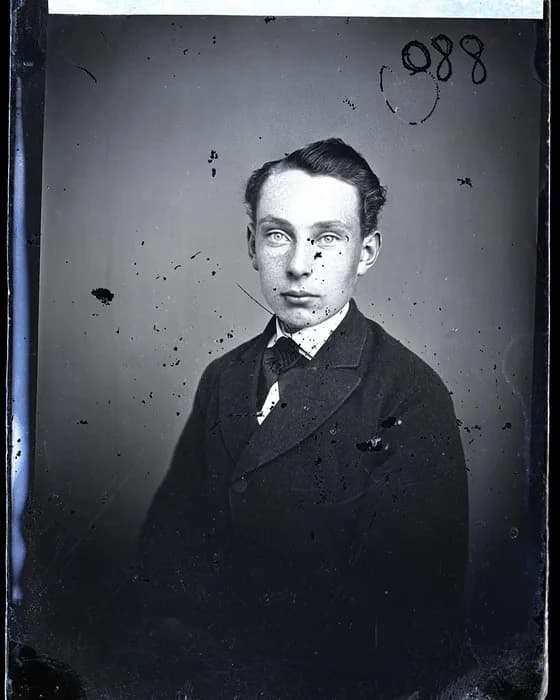
Original 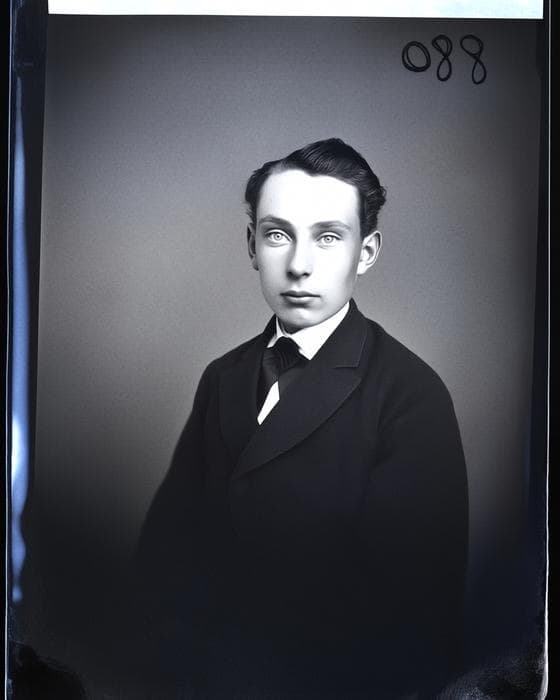
Restored 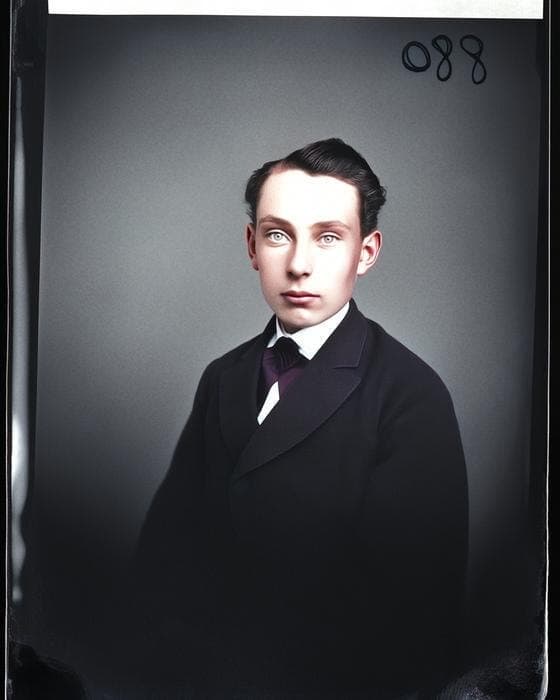
Colorized Spots, dust and scratches across a glass-plate portrait
Public-domain glass-plate negative, Wikimedia Commons
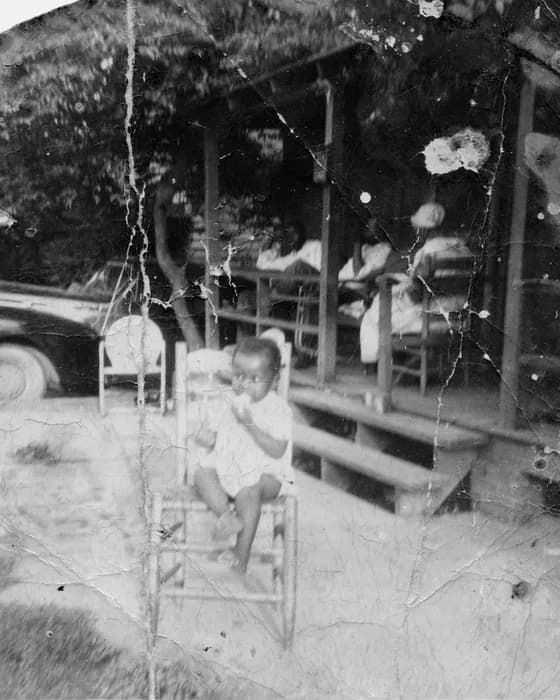
Original 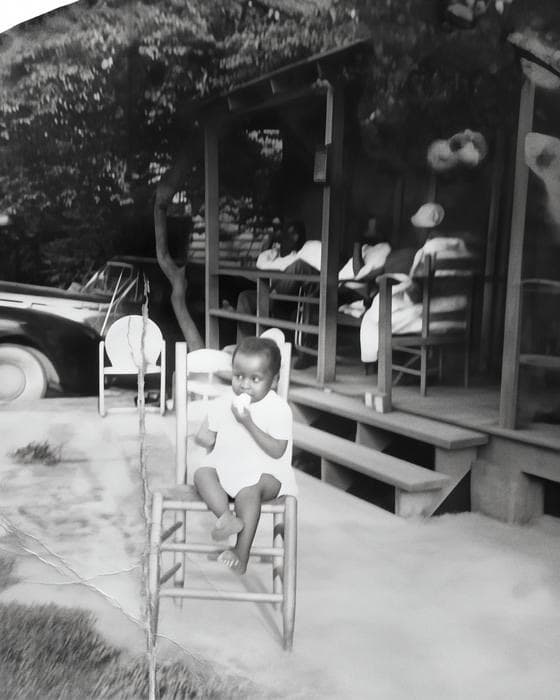
Restored 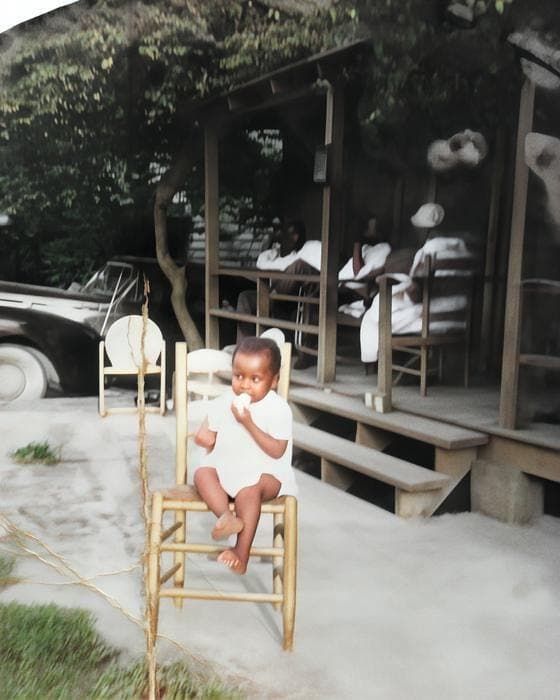
Colorized Cracked and creased snapshot, surface broken all over
State Archives of North Carolina
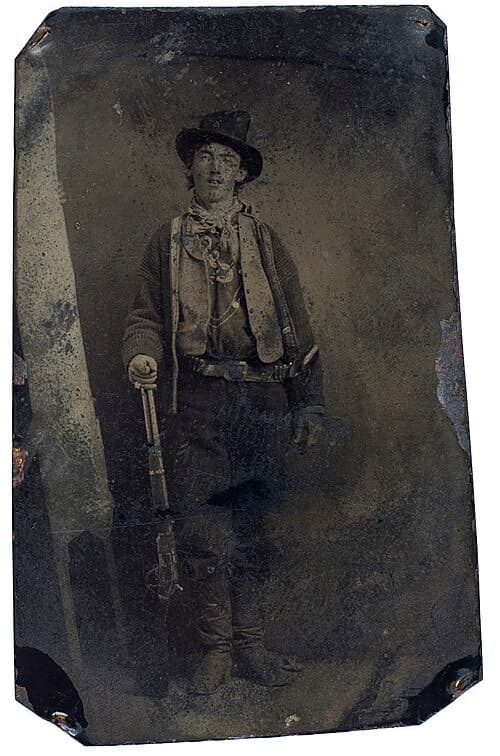
Original 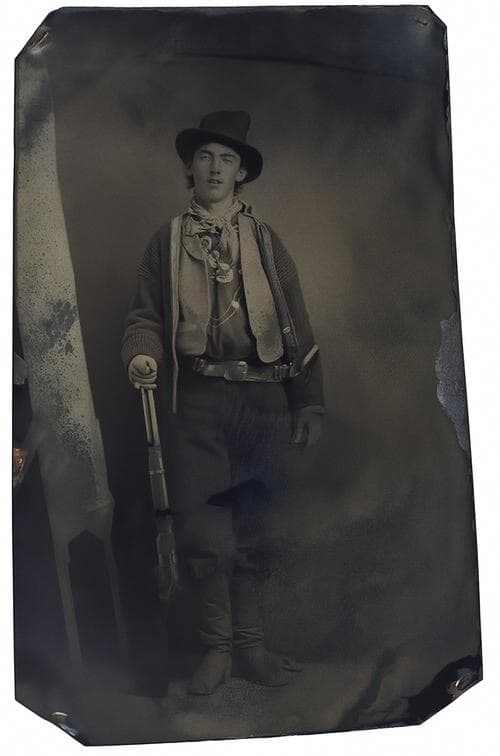
Restored 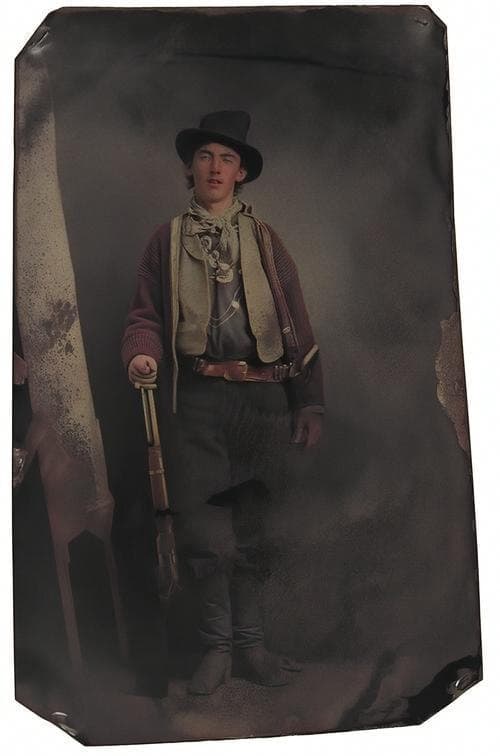
Colorized Tintype with plate damage — rifle, leggings and clothing kept as photographed
Public-domain tintype, Fort Sumner, 1879–80. A historical restoration example, not evidence of exactly how anyone looked.
Unedited model output at the original’s own resolution — not retouched by hand. The originals are public-domain archive photographs, never customer uploads. Results vary with the condition of the original and how much of it survived: Restore cleans the photograph that is there, and where a print has lost emulsion outright it leaves the gap rather than inventing something to fill it.
How it works
- 1
Upload the photo
A phone snapshot of the print is enough. Drag in one photo or fifty.
- 2
AI works out what is wrong
Restore finds the dust, scratches and creases and clears them without touching the rest of the picture. Colorize is there when you want it — on its own, or in one go with Restore.
- 3
Compare and download
Drag the before/after slider, then download the full-resolution result. Everything is deleted after 24 hours.
Simple credit packages
One successful restoration costs one credit. A failed attempt costs nothing. Credits never expire, and there is no subscription.
Agency
$79.99
1,001 photos
8¢ per photo
For archives, photographers, restoration services and large family collections.
Get 1,001 photosQuestions
- What does one credit cover?
- One successful AI operation on one photograph — a restore, a colorize or a restore + colorize. If the attempt fails, no credit is taken.
- Do I need editing skills?
- No. There are no sliders, layers or masks. You upload the photo and the model decides what needs fixing.
- How long are my photos kept?
- Originals and results are deleted automatically 24 hours after upload. Download your results within that window.
- Are my photos used to train AI?
- No. Your photographs are never used as training data.
- Is this a subscription?
- No. You buy a package of credits once, and the credits do not expire.